















- 1
Open the Posts tab
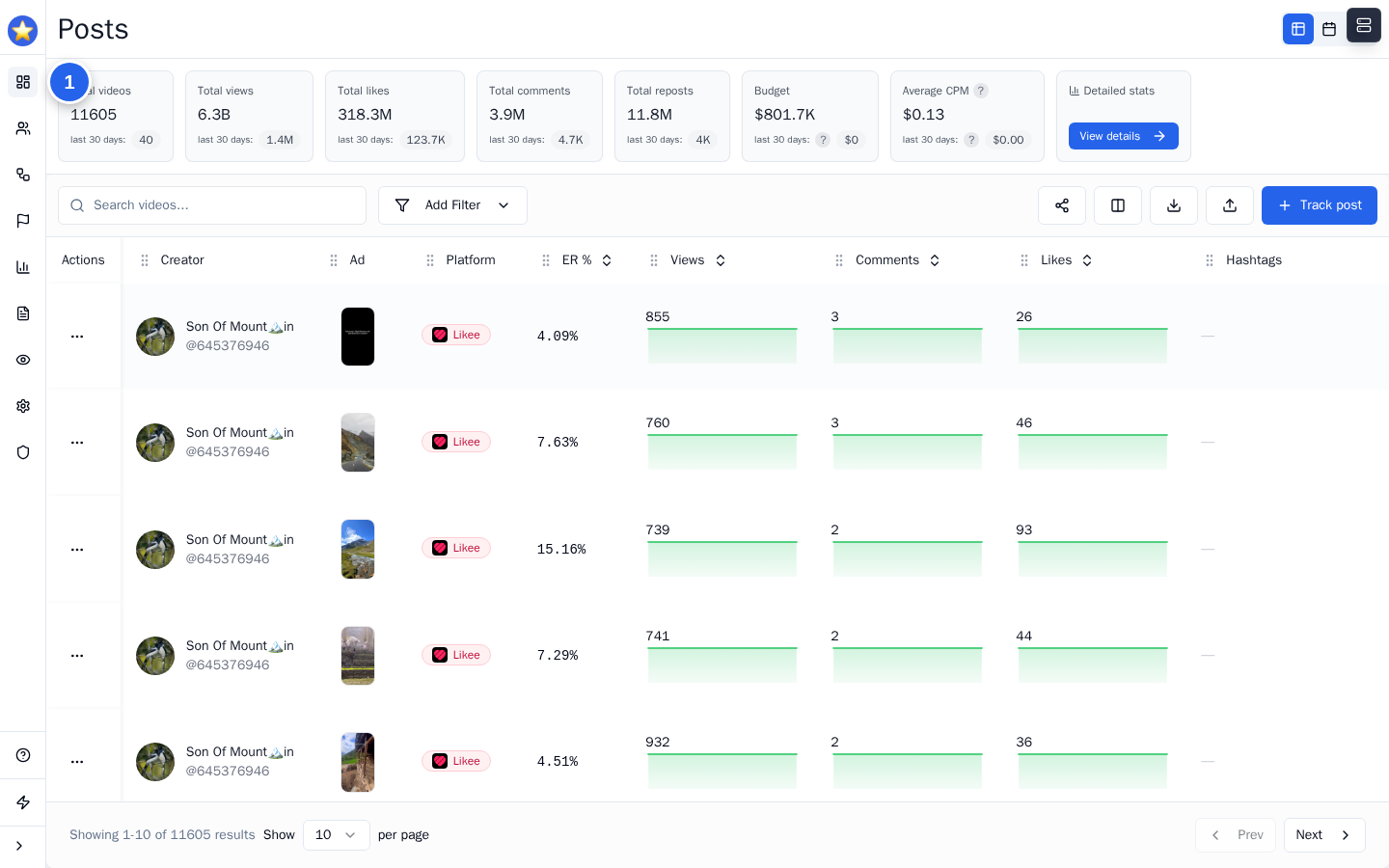
In the left sidebar, click "Posts" ①. This table lists every video you track, with views, likes, comments and daily sparklines.
- 2
Click "Track post"
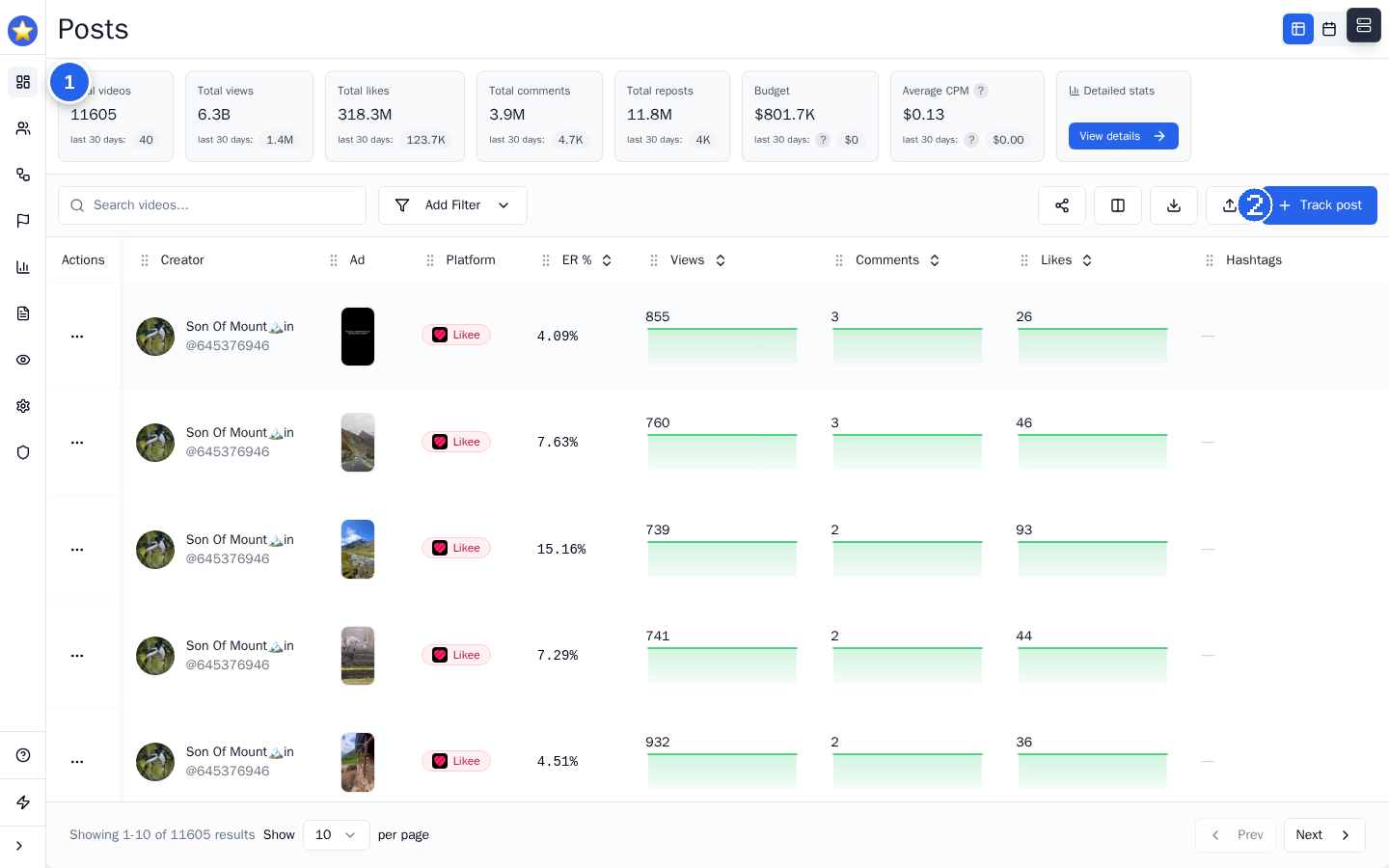
You are on the Posts tab ① — in the top-right corner, click the "+ Track post" button ②. The "Track single video" dialog opens — paste the video link there in the next step.
- 3
Track the Telegram post
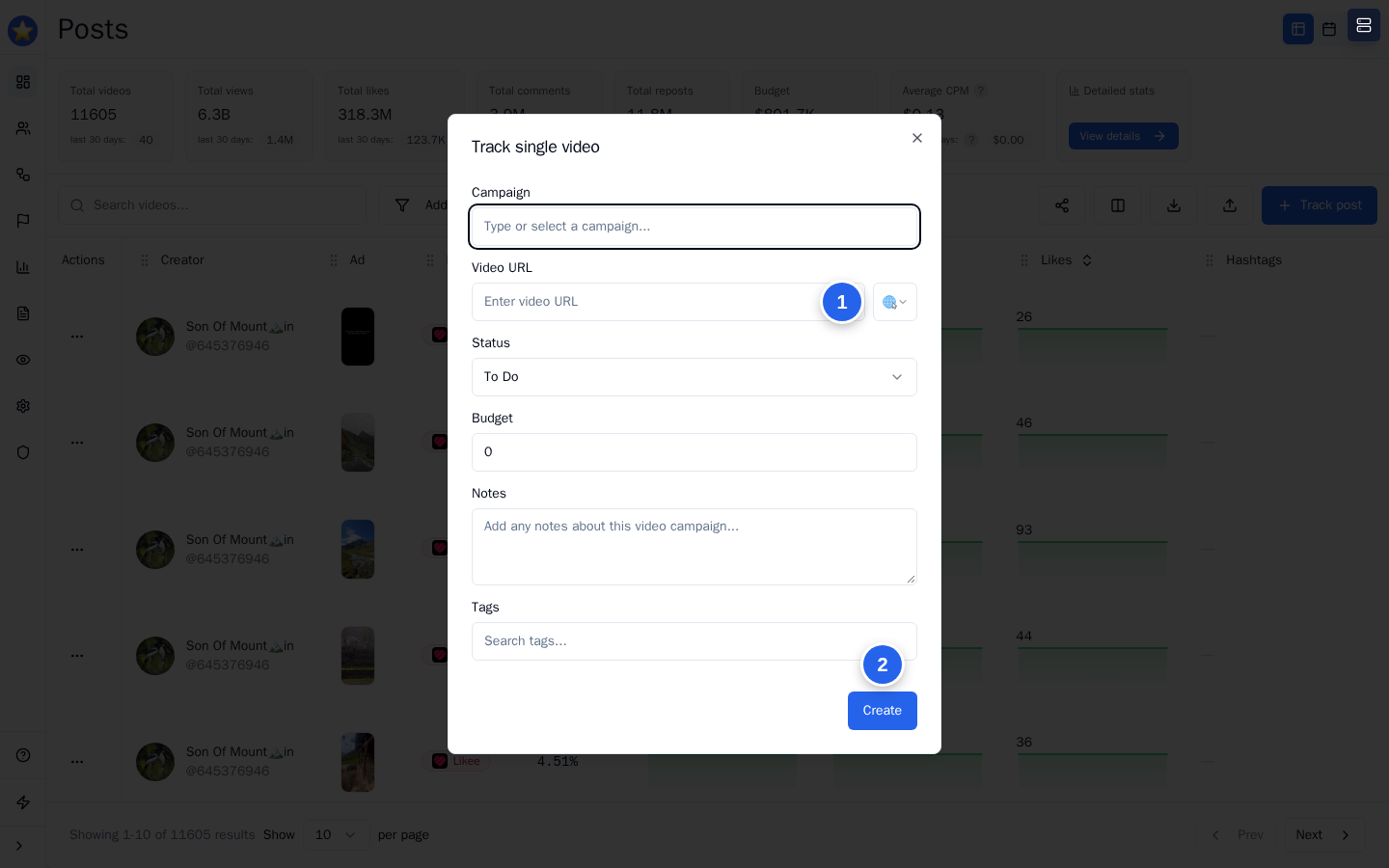
Paste the Telegram link (https://t.me/channel/1234) into the "Video URL" field ①, then hit "Create" ②. The first stats land within minutes.
- 4
Read the performance stats
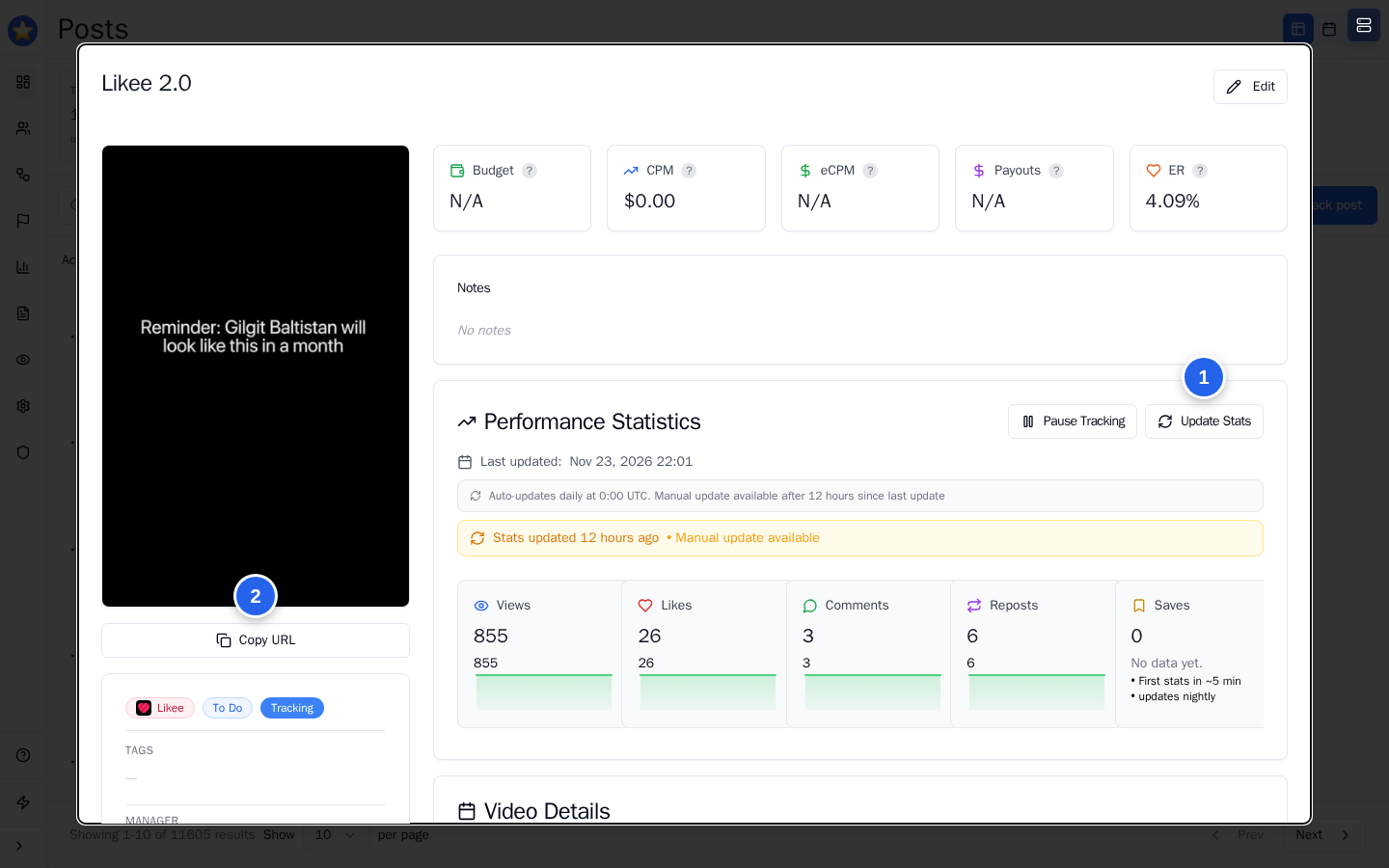
Click the video row to open Video details: views, likes, comments, reposts and saves, plus the "Last updated" time. Hit "Update Stats" ① for a fresh pull, or "Copy URL" ② to share the link — stats also refresh on their own every day.
Frequently asked questions
Ready to Automate Your Social Media Analytics?
Join thousands of creators who trust our platform for real-time metrics tracking
100K+
Videos Tracked
50M+
Data Points Analyzed
99.9%
Uptime